
Design your affiliate site with AI. Launch it in minutes.
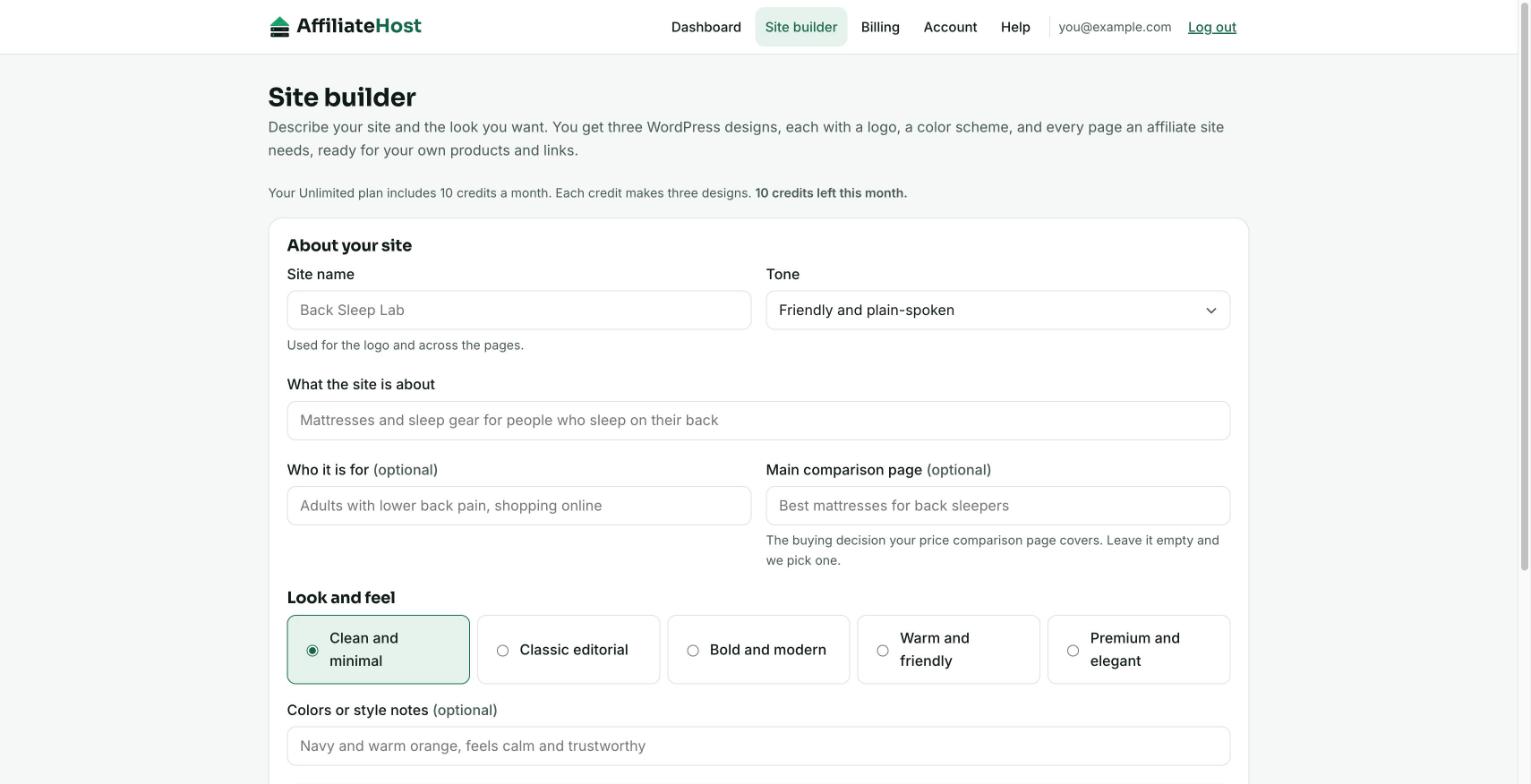
Tell the AffiliateHost site builder your niche and the look you want. In about a minute you get three designs made for affiliate marketing, each with a logo, a color scheme, and every page your site needs, including a price comparison page built like a landing page. Included with every plan.
What you get from one run
Three complete looks to choose from, each a WordPress theme you install in a few clicks.
Three designs
A magazine homepage, a featured guide homepage, and a minimal one, each with its own palette and type, all in the look you ask for.
Every page you need
Home, an article listing, a review article layout, a price comparison page, about, contact, and an affiliate disclosure page.
A logo and colors
A logo mark and wordmark in your site's name, with a color scheme checked for readable contrast.
Plain WordPress
A standard block theme. Edit every word and color in the WordPress editor; no page builder plugin needed.
Built for how affiliate sites earn
The pages that make the money are laid out the way landing pages and review publishers do it.
A comparison page built like a landing page
Your money page uses its own template with no site menu, so readers stay on the decision. Your top pick sits above the fold, then an at-a-glance table, ranked cards with one "Check price" button each, how you ranked them, a buying guide, questions, and a closing nudge back to the top pick.
Review articles with a verdict box
Every new post can start from a review layout: a verdict box with your score and buy button, sections chosen for your niche with a note on what to write in each, what you like and what could be better, and a bottom line.
Honest by design
Affiliate income depends on trust, and so does your standing with the merchants you promote. The builder writes your niche copy and buying advice, and leaves every product fact to you.
- No products to enter up front: every product name, price, score and link is a placeholder you fill in
- Anything only you know shows as a [bracketed note], never as a guess
- No invented test results, star ratings, testimonials, or quotes
- An affiliate disclosure on every money page, plus a disclosure page
- Buy buttons marked as sponsored links, the way search engines ask
How it works
Describe your site
In your account area: the site name, the niche, who it is for, the look you want, and the buying decision your comparison page covers.
Preview three designs
Ready in about a minute. Open every page of each design in your browser.
Upload the theme
Download the zip and upload it in WordPress under Appearance, Themes. Your homepage changes as soon as you activate it.
Fill in and publish
Activating the theme creates your pages and menu. Put your products and links where the bracketed notes are, add images, and publish.
Full instructions: Installing a site builder design.
Included with every plan
One credit makes three designs. A run that does not finish gives the credit back.
| Plan | Credits a month | From |
|---|---|---|
| Starter | 3 | $19/mo |
| Unlimited | 10 | $25/mo |
| Enterprise VPS | 25 | $166/mo |
Prices are per month, billed yearly. Compare plans.
Site builder questions
Is the site builder included in my plan?
Yes, on every plan. Starter includes 3 credits a month, Unlimited 10, and Enterprise VPS 25. One credit makes three designs. A run that does not finish gives the credit back, and credits reset on the 1st of each month.
Do I need to know my products first?
No. Every product slot, from names and prices to scores, pros and the "Check price" links, is a placeholder you fill in WordPress, and you can duplicate a card to add as many picks as you like. The builder writes the copy around them: headlines, buying advice, ranking criteria and questions. It never invents test results, star ratings, testimonials, or facts about real products.
What exactly do I download?
A standard WordPress block theme as a zip file: the homepage, header, footer, colors and type, your logo, an article listing and article template, and page layouts for a price comparison landing page, about, contact, a review article, and an affiliate disclosure. You upload it under Appearance, Themes, and edit everything in the normal WordPress editor. It needs WordPress 6.6 or later.
Will installing a design affect my existing posts?
Your posts and pages stay as they are; a theme changes how they look. Menus and widgets from an older theme may need setting up again. On Unlimited and Enterprise VPS you can try a design on a staging copy first.
Does it add product images?
No. Each product gets a clean name block in the design's colors, and you add your own photos or the merchant's approved images in the WordPress editor.
Your next niche site, designed before lunch.
Every plan includes the site builder, unlimited WordPress sites on Unlimited, and free migration.